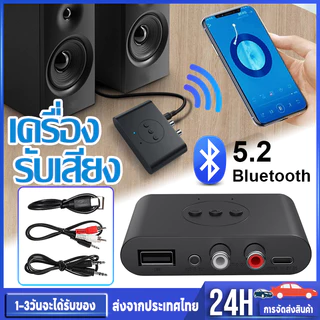
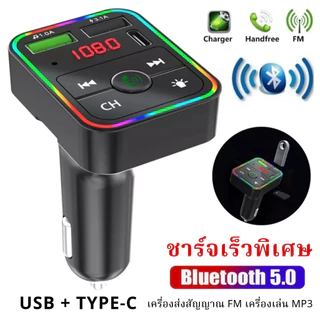
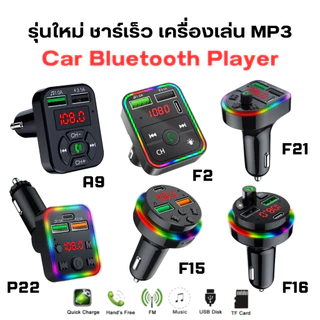
ตัวรับสัญญาณบลูทูธ 3.5 มม. สำหรับรถยนต์ AUX Audio Kit Jack
ร้าน lovesunshine.th
★ 4.6
฿48
฿107
-55%
ราคาและสต็อกอาจเปลี่ยนแปลง — ตรวจสอบล่าสุดที่ AUTOTIP
ข้อมูลจำเพาะ
- แพลตฟอร์ม
- shopee
- ร้านค้า
- lovesunshine.th
รายละเอียดสินค้า
เคล็ดลับที่อบอุ่น: เพื่อน ๆ ที่รักสินค้าได้รับการปรับปรุงและถ้าคุณได้รับใหม่หวังว่าคุณจะชอบมัน และการออกแบบใหม่เป็นฟังก์ชั่นเดียวกัน แต่คุณภาพดีขึ้นขอบคุณ วิธีใช้: 1. เปิด / ปิดเครื่อง (1) เปิดเครื่อง: กดปุ่มเปิด / ปิดค้างไว้ 3 วินาทีจนกระทั่งไฟ LED สีฟ้าเริ่มกะพริบ (2) ปิดเครื่อง: กดปุ่มเปิด / ปิดค้างไว้ 5 วินาที ไฟ LED สีแดงจะติดขึ้นจากนั้นจึงดับลง หมายเหตุ: อ่านคู่มือผู้ใช้ของเครื่องส่งสัญญาณหรือโทรศัพท์มือถือของคุณเพื่อค้นหาวิธีการเปิด / ปิดเทคโนโลยีไร้สาย Bluetooth 2.จับคู่่ หากนี่เป็นครั้งแรกที่คุณใช้อุปกรณ์นี้โปรดจับคู่อุปกรณ์นี้ก่อน (1) ในการเข้าสู่โหมดจับคู่ให้กดปุ่มเปิด / ปิด (ปุ่ม 1) ค้างไว้ 5 วินาทีจนกระทั่งแฟลช LED สีแดงและสีน้ำเงิน (2) ค้นหาเครื่องรับเพลงบนโทรศัพท์มือถือของคุณหรือเครื่องส่งสัญญาณที่รองรับ แตะปุ่มเดียวค้างไว้เพื่อเปิดเครื่องและจะค้นหาเครื่องส่งสัญญาณที่เข้ากันได้โดยอัตโนมัติ ไม่มีรหัสแอนดี้ที่จะป้อนหากเชื่อมต่อกับอุปกรณ์ Apple หรือ Android ไฟ LED ใต้ปุ่มจะระบุอุปกรณ์และสถานะการชาร์จ (3) อุปกรณ์ควรรู้จักและจับคู่กัน ไฟ LED ที่ตัวรับสัญญาณเพลงจะกะพริบช้า ๆ เป็นสีน้ำเงินหลังจากการจับคู่สำเร็จ (4) ในการจับคู่อุปกรณ์บางอย่างจำเป็นต้องใช้รหัสผ่านหรือรหัสโปรดป้อน "0000" (5) เมื่อจับคู่สำเร็จแล้วอุปกรณ์สามารถปิดได้ หากต้องการเชื่อมต่อใหม่เพียงเปิดเครื่องทั้งสองไม่จำเป็นต้องจับคู่อีกครั้ง หมายเหตุ: หากคุณต้องการใช้เครื่องรับเพลงด้วยเครื่องส่งสัญญาณอื่นคุณต้องเริ่มกระบวนการจับคู่กับอุปกรณ์ใหม่จากขั้นตอนที่หนึ่ง หลังจากจับคู่เครื่องส่งสัญญาณใหม่เครื่องส่งสัญญาณเก่าจะไม่ถูกจับคู่กับตัวรับสัญญาณเพลงอีกต่อไปคุณสามารถเชื่อมต่ออุปกรณ์ได้ครั้งละหนึ่งเครื่องเท่านั้น 3. การเล่นเพลง (1) ใช้สายสัญญาณเสียงและอะแดปเตอร์ที่ให้มาเชื่อมต่อตัวรับสัญญาณเพลงเข้ากับช่องต่อ AUX (AUX) ของเครื่องเสียงบ้านหรือเครื่องเสียงรถยนต์ (2) ตรวจสอบให้แน่ใจว่าเครื่องส่งสัญญาณ (มินิแจ็ค, โทรศัพท์มือถือ, PC, PAD หรือแหล่งสัญญาณที่ใช้งานร่วมกันได้) เปิดใช้งานและจับคู่กับตัวรับสัญญาณเพลงและอุปกรณ์นั้นอยู่ห่างกันไม่เกิน 10 เมตร (3) ไฟ LED สีฟ้าบนตัวรับสัญญาณเพลงจะกะพริบช้าๆเพื่อระบุการเชื่อมต่อ (4) กด "เล่น" และเพลงจะถูกส่งแบบไร้สายไปยังตัวรับสัญญาณเพลง บันทึก: หากคุณไม่ได้ยินเสียงเพลง: ตรวจสอบให้แน่ใจว่าระบบสเตอริโอของคุณถูกตั้งค่าเป็น "AUX" หรืออินพุตใดก็ตามเป็นอินพุตที่สอดคล้องกับตัวรับสัญญาณเพลง ตรวจสอบและตรวจสอบว่าระดับเสียงไม่ได้ถูกปิดหรือปิดเสียง 4.ชาร์จ (1) ใช้สายเคเบิล USB ที่ให้มาเชื่อมต่อส่วนเล็ก ๆ เข้ากับอินพุต mini-USB ของตัวรับสัญญาณเพลง (2) เชื่อมต่ออื่น ๆ แพ็คเกจรวม: ตัวรับสัญญาณ สายเคเบิล สาย AUX Connecter How to Use: 1.Power on/off (1). Power on: Press and hold the on/off button for 3 seconds until the blue LED light begins flashing. (2). Power off: Press and hold the on/off button for 5 seconds. The red LED will light up, and then turn off. Note: Read the user guide of your transmitter or mobile phone to find out how to turn on/off Bluetooth wireless technology. 2.Pairing If this is the first time you use this device, please pair this device first. (1). To enter pairing mode, press and hold the on/off button (button1) for 5seconds until both red and blue LEDS flash. (2). Search for the music receiver on your mobile phone or compatible transmitter. Touch and hold one button to power on and it will automatically search for a compatible transmitter; No andy codes to enter if connect with Apple or Android device, LED lights beneath the button indicate device and charging status. (3). The devices should now recognize each other and pair. The LED on the music receiver will slowly flash blue after successful paring. (4). To complete pairing some devices require a pass key or code, please enter "0000". (5). Once successfully paired, the devices can be powered off. To re-connect simply power them both on, no need to pair again. Note: If you wish to use the music receiver with another transmitter you must restart the pairing process with the new devices from step one. After pairing the new transmitter, the old transmitter will no longer be paired to the music receiver, you can have only one device connected at a time. 3.Playing Music (1). Using the supplied audio cables and adapters, connect the music receiver to the auxiliary(AUX) input of your home or car stereo. (2). Make sure the transmitter (Mini-jack, mobile phone, PC, PAD OR compatible source) is turned on and paired with the music receiver and that the devices are no more than 10m apart. (3). The blue LED on the music receiver will flash slowly, indicating a connection. (4). Press "play" and the music will be sent wireless to the music receiver. Note: If you cannot hear the music: a. Make sure your stereo system is set to "AUX" input or whichever input is the corresponding input to the music receiver. b. Check and make sure the volume is not turned down or muted. 4.Charging (1). Using the supplied USB cable, connect the small end to the mini-USB input of the music receiver. (2). Connect the other Package Includes: 1X Reciever 1xCharger cable 1xAUX Connecter